
How to Crop Images in Circle Shape — Complete Guide
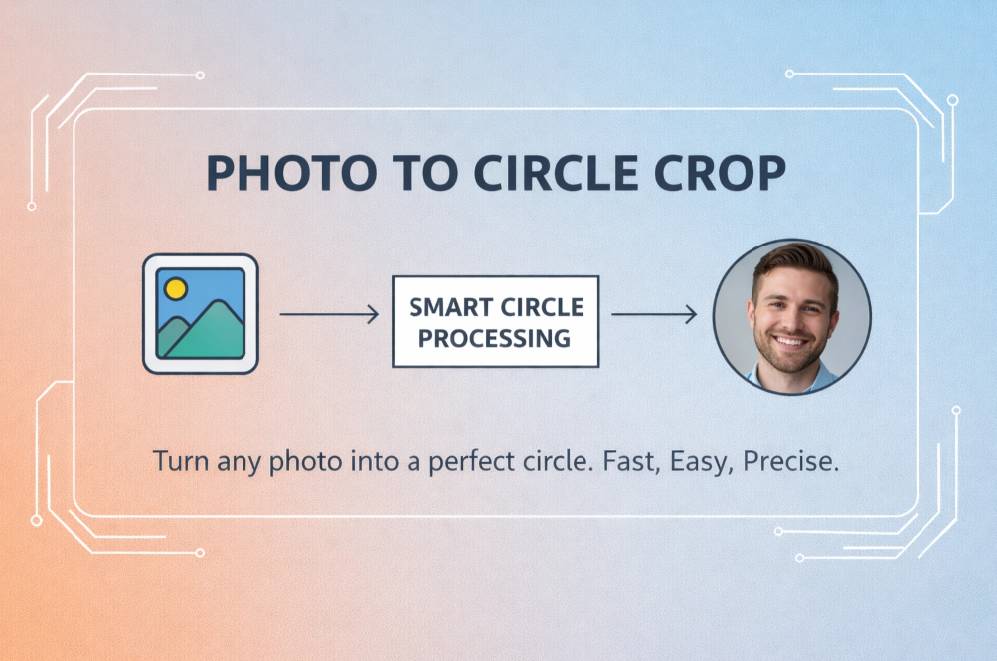
Transform any photo into a perfect circular image with our free online circle crop tool. Create professional round images for profiles, social media, logos, and more in just seconds.
How to Crop Images in Circle Shape — Complete Guide
Transform any photo into a perfect circular image with our free online circle crop tool. Create professional round images for profiles, social media, logos, and more in just seconds.
How to Crop Images in Circle Shape
Step 1: Upload Your Image
Select any photo from your device that you want to crop into a circle shape. Our tool supports JPG, PNG, WEBP, and GIF formats. Simply click the upload button or drag and drop your image file.Step 2: Position Your Image
Adjust and center your photo within the circular crop area. Use the zoom slider to focus on the most important part of your image, and drag to reposition it for the perfect round crop.Step 3: Download Your Circular Image
Once you're satisfied with the positioning, click "Crop and Download" to get your perfectly rounded image. The result will have a transparent background, making it perfect for use anywhere.Popular Ways to Use Circle Cropped Images
Profile Pictures
Crop photos in circle shape for professional-looking profile images on social media platforms like Facebook, LinkedIn, and Instagram. Circular avatars create a modern, polished appearance.Social Media Graphics
Create circular images for Instagram stories, Facebook posts, and Twitter profiles that stand out from the crowd. Round images add visual interest and break up the monotony of square posts.Round Logos
Transform your logo or brand images into perfectly round shapes for consistent branding across all platforms. Circular logos work especially well for app icons and social media branding.Testimonial Photos
Display customer or client testimonials with circular profile photos for a clean, professional look. Round images create visual consistency and make your testimonials more engaging.Team Member Photos
Create consistent round headshots for company websites, team pages, and employee directories. Uniform circular photos give your team page a cohesive, professional appearance.Features of Our Circle Crop Tool
- Free circle image cropper — Make circle shapes from any image at no cost, no hidden fees
- High-resolution output — Download your circular images in their original quality without compression
- No sign-up required — Start circle cropping images instantly, no account creation needed
- Private and secure — Your images never leave your browser, ensuring complete privacy
- Easy-to-use interface — Simple, intuitive design makes creating round images effortless
- Works on all devices — Crop images in circle shape on desktop, tablet, or mobile devices
- Transparent background — All circular crops come with transparent backgrounds for maximum versatility
- Real-time preview — See exactly how your circular image will look before downloading
Circle Crop Image FAQ
How do I crop an image into a circle shape?
Simply upload your image to our tool, adjust it within the circular frame to position the subject properly, and click "Crop and Download" to get your perfectly round image. Our tool makes it easy to crop any image in a circle format instantly without needing any design skills.
How do I make a circular profile picture?
Upload your photo to our circle crop tool, position your face in the center of the circular frame, then download your new round profile picture. It's perfect for social media profiles that use circle-shaped images like Facebook, LinkedIn, or Instagram.
Can I crop photos into round shapes on my phone?
Yes! Our circle image cropper works on all devices including smartphones and tablets. The mobile-friendly interface lets you easily create round image crops anywhere. Just visit our website from your mobile browser — no app download required.
Do you store the images I upload?
No, we never store your images on our servers. The entire cropping process happens directly in your browser, which means your photos remain completely private. Once you leave the page, all image data is automatically removed.
What image formats can I use with the circle crop tool?
Our tool works with all standard image formats including JPG, PNG, WEBP, and GIF. You can upload any of these formats and your circular cropped image will be downloaded as a PNG file with transparency around the circle.
Will my circular cropped image have a transparent background?
Yes, when you download your cropped image, it will have a transparent background around the circle. This makes it perfect for placing on websites, documents, or designs where you want only the circular portion to be visible.
Can I adjust the size of the circle crop?
The circle crop maintains a perfect 1:1 aspect ratio, but you can zoom in or out to adjust how much of your image appears within the circle. This allows you to focus on specific parts of your image while maintaining the circular shape.
Image Tips for Perfect Circle Crops
Center Your Subject
For the best results, choose images where the main subject is centered or can be positioned in the center of the frame. This is especially important for profile pictures and headshots where the face should be the focal point.Consider the Crop Area
Remember that the corners of your image will be cropped out. Avoid images where important details are near the edges of the photo, as these will be lost in the circular crop.Use High-Resolution Images
Starting with high-quality images will result in better circular crops. Low-resolution or small images may appear pixelated when cropped, so use the highest quality source images available.Mind the Aspect Ratio
Square images typically work best for circle cropping. If your original image is very wide or tall, you may lose significant portions in the cropping process. Consider cropping to square first if needed.Adjust for Optimal Framing
Use our tool's positioning feature to zoom and adjust your image. For portraits, try to center the face with some margin around it for the best professional look. For products, center the main item within the circle.Create Consistent Sets
When creating multiple circular images (like for team photos), try to maintain consistent framing, background styles, and sizes for a cohesive appearance across all images.Common Uses for Circle Cropped Images
| Application | Benefits of Circle Crop | |------------|------------------------| | Social Media Profiles | Most platforms display avatars in circles — a perfectly cropped circular image looks professional | | Team Member Photos | Create consistent round headshots for company websites and directories | | Online Portfolios | Round images create visual interest and modern aesthetics | | Digital Business Cards | Circle-cropped profile photos look cleaner and more professional | | Product Thumbnails | Round product images create a cohesive catalog look | | App Icons | Circular icons are standard for mobile applications | | Website Testimonials | Round customer photos add credibility and visual appeal |
Why Choose Our Circle Crop Image Tool
When it comes to cropping photos in circles online, our tool offers several advantages:
- Instant processing — Crop image to circle shape in seconds without waiting for uploads or server processing
- Perfect circles every time — Our tool ensures perfectly round crops with clean edges and no distortion
- Intuitive controls — Easily position your image exactly how you want within the circle with zoom and drag functionality
- No watermarks — Unlike other circle crop tools, we don't add watermarks to your images
- Works with all image types — Crop photos, graphics, illustrations, or any image into a circle
- Browser-based — No software installation required, works directly in your web browser
- Privacy-first — All processing happens locally in your browser, your images never leave your device
Whether you need to crop images in circle shape for professional use or personal projects, our circle photo crop tool handles it all with ease. Create round image crops in just a few clicks!
Getting Started
Ready to create your first circular image? Visit our Circle Crop Tool and start cropping today. It's completely free, requires no sign-up, and takes just seconds to create professional circular images.
Last updated: January 2026
Tags:
